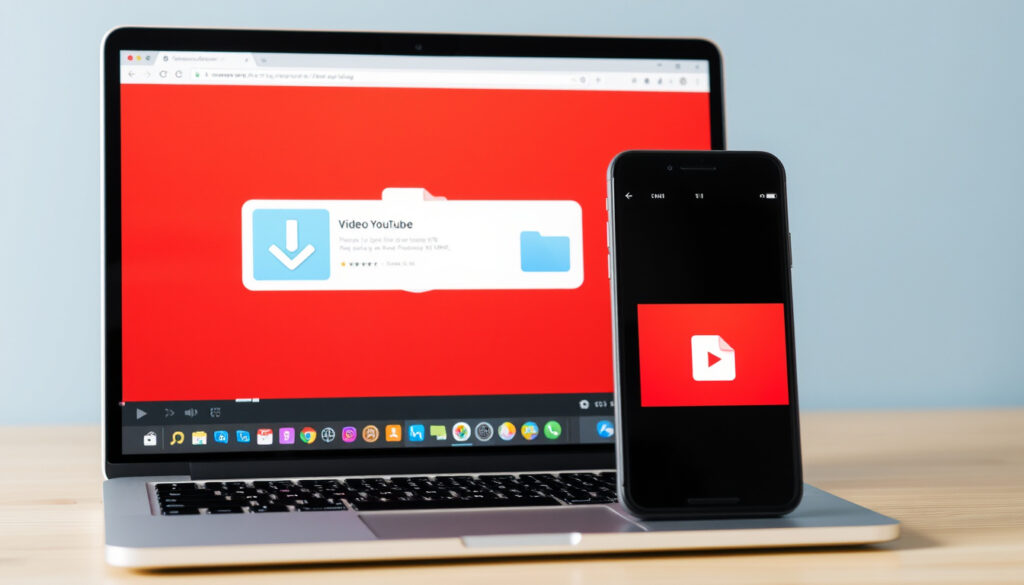
How to Download a YouTube Video: Official and Third-Party Methods
Anyone who’s ever wanted to watch a YouTube video on a plane or save a clip to their phone knows the frustration of searching for a reliable way to download. Between YouTube Premium subscriptions, third-party apps, and web-based tools, the options can feel overwhelming — and some come with real risks. This guide walks through each method clearly, so you can choose what works for your device and your comfort level with the trade-offs.
YouTube Premium subscribers (2025): over 100 million ·
Daily watch time on YouTube: over 1 billion hours ·
Offline storage limit (Premium): up to 30 days per video ·
YouTube users on mobile: over 70% ·
Third-party downloader apps on Google Play: hundreds
Quick snapshot
- YouTube Premium allows offline downloads for subscribers (TechSmith guide)
- Downloading copyrighted content without permission may violate copyright law (TechSmith policy analysis)
- YouTube’s 8-minute rule applies to mid-roll ad placement, not download length (TechSmith guide)
- Channel owners can download their own uploads via YouTube Studio (YouTube tutorial)
- Which third-party downloaders are safe and legal across all jurisdictions
- How long YouTube will allow third-party tools to function without blocking
- Whether YouTube plans to offer free offline downloads in the future
- How aggressively YouTube will enforce ToS against individual downloaders
- YouTube Premium has grown to over 100 million subscribers as of 2025 (Clipchamp roundup)
- Third-party downloader apps like SnapTube have passed 100M+ downloads on Android (Clipchamp roundup)
- YouTube continues to update its ToS and technical measures against unauthorized downloading (Clipchamp roundup)
- Expect continued tightening of YouTube’s anti-download measures
- Third-party tools will evolve with workarounds (cat-and-mouse cycle)
- Legal clarity on fair use for personal downloading may emerge in some regions
Five key facts define the landscape for anyone trying to download a YouTube video — from pricing and storage limits to the legal boundaries set by YouTube itself.
| Fact | Value |
|---|---|
| YouTube Premium Price (US, 2025) | $13.99/month (individual) |
| Offline video storage limit (Premium) | Up to 30 days per video, then playback requires re-download |
| Most popular third-party downloader | SnapTube (Android) with over 100M downloads |
| YouTube Terms of Service on downloading | Explicitly prohibits downloading except via YouTube’s own features |
| Maximum length for YouTube Shorts | 60 seconds (not affected by 8-minute rule) |
The pattern is clear: YouTube’s official offering gives you legal safety with limits, while third-party tools offer more freedom but carry real risks.
The 30-day reconnection rule means downloaded videos aren’t truly permanent — even Premium subscribers lose access if their device stays offline longer than a month. For travelers heading into areas with no internet, that’s a real constraint.
How can I download and save a YouTube video?
Download via YouTube Premium
- Sign in to your YouTube account with an active Premium subscription (YouTube official tutorial).
- Open the video you want to save and tap the Download button below the title.
- Choose your preferred video quality (options vary by video).
- Find all downloaded videos in the Library tab under “Downloads.”
Use a third-party downloader app
- Copy the video URL from the YouTube app or website.
- Paste the URL into a downloader app like SnapTube or ClipGrab (Clipchamp guide to ClipGrab).
- Select format and quality, then tap download.
- Be aware: these apps violate YouTube’s Terms of Service (TechSmith terms analysis).
Save from YouTube Studio for your own uploads
- Open the YouTube Studio app and go to Content.
- Find your video, tap the three-dot menu, and select Save to device (YouTube Studio workflow).
- This only works for videos you uploaded yourself.
While third-party apps like SnapTube promise free downloads, YouTube’s Terms of Service explicitly prohibit downloading through any means other than YouTube’s own download button. Users risk account warnings or legal action in extreme cases.
How do I download a YouTube video so I can watch offline?
Watch offline with YouTube Premium on Android
- Open the YouTube app and sign in to your Premium account.
- Tap the Library tab, then select Downloads.
- Find a video and tap the download icon to save it.
- Videos remain available for up to 30 days without reconnecting to the internet.
Watch offline with YouTube Premium on iPhone
- The steps are identical to Android: tap the download button, choose quality, and access via Library.
- iPhone users cannot export downloaded videos to the Photos app — playback is limited to the YouTube app.
Watch offline without Premium: limitations
- Free users have no official offline option within the YouTube app.
- Some public-domain or Creative Commons-licensed videos can be saved via third-party tools without legal risk (TechSmith fair use overview).
- Web-based downloaders like Y2Mate let you save files without installing software, but they come with daily download quotas (Clipchamp comparison).
The implication: if you want offline access without a subscription, be prepared to accept legal gray areas and potential security trade-offs.
How do you download a video from YouTube to your gallery for free?
Using a free third-party Android app
- Apps like SnapTube and VidMate save videos directly to your phone’s gallery (DCIM folder).
- Copy the YouTube video URL, paste it into the app, and select your format.
- Most free apps are ad-supported and may request permissions beyond what’s necessary.
Using a website downloader on desktop
- Sites like Y2Mate and ClipConverter require no installation — just paste the URL and download.
- Output is usually an MP4 file saved to your computer’s Downloads folder.
- These sites often limit file size or daily downloads unless you pay.
Risks of free downloaders: malware and copyright
- Free downloader apps are a known vector for malware, especially those sideloaded outside official app stores.
- Downloading copyrighted content without permission is illegal in many jurisdictions (TechSmith legal overview).
- Even when downloading for personal use, you are still technically violating YouTube’s Terms of Service unless the video is Creative Commons-licensed or your own upload.
How to download YouTube videos on iPhone and Android?
Download on Android: steps using Premium
- Open the YouTube app and sign in with your Premium account.
- Navigate to any video and tap the Download icon below the player.
- Select a quality level (higher quality means larger file size).
- Access offline videos from the Library > Downloads tab.
Download on iPhone: steps using Premium
- The process is identical — locate the video, tap download, and choose quality.
- iPhone downloads remain inside the YouTube app and cannot be moved to the camera roll.
- YouTube Premium offers a one-month free trial for new subscribers (YouTube Premium promo).
Using Shortcuts on iPhone for downloads
- Advanced users can create a Shortcut automation that routes a YouTube URL through a web converter and saves the result to Files.
- This method requires a converter website and relies on the Shortcuts app’s ability to download web content.
- It is not officially supported and may break with YouTube updates.
The catch: what works seamlessly on Android often requires creative workarounds on iOS, making device choice a real factor in your download strategy.
How to save a YouTube video to your phone gallery permanently?
Save with a downloader app that saves to gallery
- Android apps like SnapTube and Video Downloader save directly to the DCIM/Camera folder, making them appear in your gallery immediately.
- On iPhone, third-party downloader apps are largely unavailable in the App Store due to Apple’s content policies.
Transfer from YouTube Premium downloads to gallery
- YouTube Premium does not offer a built-in export option — downloaded files are encrypted and locked inside the YouTube app.
- Screen recording is a workaround but reduces quality and includes playback controls on screen.
Using Google Drive as intermediate storage
- Save the video to Google Drive using a web-based downloader on desktop, then download the Drive file to your phone’s gallery.
- This method works cross-platform but adds multiple steps: copy URL, download to desktop, upload to Drive, download to phone, move to gallery.
- Google Drive offers 15 GB of free storage, enough for dozens of videos at moderate quality.
How to download YouTube videos on a laptop or desktop?
Using a web-based downloader
- Copy the YouTube video URL from your browser.
- Navigate to a site like Y2Mate or ClipConverter and paste the URL.
- Select MP4 (video) or MP3 (audio) and your preferred resolution.
- Click download and save the file to your computer.
Using browser extensions
- Extensions like Video DownloadHelper (Firefox) add a download button directly to the YouTube video page (Clipchamp Video DownloadHelper guide).
- One-click download without leaving YouTube.
- YouTube periodically updates its code to block these extensions, so they may stop working without warning.
Downloading via command-line tools (yt-dlp)
- yt-dlp is an open-source command-line tool for advanced users who want full control over format, quality, and metadata.
- Install via package managers (Homebrew on macOS, apt on Linux, or direct download on Windows).
- Command format:
yt-dlp -f bestvideo+bestaudio [URL] - Requires comfort with terminal/command prompt but offers the most powerful and reliable download experience.
Upsides
- YouTube Premium: fully legal, works on mobile and tablet, no malware risk
- Third-party apps: save directly to gallery on Android, often free
- Web downloaders: no installation required, works on any OS
- yt-dlp: most powerful, supports batch downloads and format selection
Downsides
- YouTube Premium: monthly fee ($13.99/month), no export to gallery
- Third-party apps: violate YouTube ToS, potential malware vector
- Web downloaders: daily limits, slower speeds, ads on the site
- Browser extensions: get blocked by YouTube updates, limited format support
For a detailed step-by-step approach, refer to this complete guide for downloading YouTube videos which covers both official and third-party tools.
Frequently asked questions
Is it legal to download YouTube videos?
Downloading videos you do not own without permission is a violation of YouTube’s Terms of Service and may infringe copyright law in many jurisdictions. Exceptions include videos you uploaded yourself, content under Creative Commons license, and fair use for educational or transformative purposes (TechSmith legal overview).
Can I download YouTube videos for free without Premium?
There is no free, officially sanctioned way to download YouTube videos. Third-party tools and websites offer free downloads but violate YouTube’s Terms of Service and may expose you to security risks. Web-based downloaders like Y2Mate are free but impose daily quotas (Clipchamp guide).
What is the best app to download YouTube videos to my gallery?
On Android, SnapTube is the most popular third-party option with over 100 million downloads. On iPhone, no mainstream app store option exists; users typically rely on cloud-based workarounds using Google Drive or the Documents by Readdle app.
How long can I keep a downloaded YouTube video?
With YouTube Premium, downloaded videos remain playable as long as your device connects to the internet at least once every 30 days (YouTube official tutorial). After that, they expire and must be re-downloaded. Files saved via third-party tools are permanent unless deleted.
Does YouTube Premium allow downloading on desktop?
No. YouTube Premium’s offline download feature is available only in the mobile app on Android and iPhone. Desktop users cannot download videos for offline viewing through Premium. Third-party tools remain the only option on desktop.
Why do some YouTube videos not have a download button?
The download button only appears for YouTube Premium subscribers. If you are a Premium subscriber and still don’t see it, the video uploader may have disabled downloading for that specific video, or it may be a live stream or Shorts content that does not support offline saving.
Can I download a YouTube video to an SD card?
On Android, YouTube Premium downloads are stored in the app’s internal data folder and cannot be moved to an SD card by default. Some third-party downloader apps offer the option to choose SD card as the save destination, depending on your device’s storage settings.
For anyone regularly watching YouTube content on the go, the choice comes down to a simple question: do you want the simplicity and legal safety of a subscription, or are you willing to navigate the gray areas of third-party tools for more freedom? For most mobile users, HP Support Assistant Download: Install, Use & Troubleshoot offers a parallel example of how official support tools differ from third-party alternatives. Similarly, understanding what you’re trading — security, legality, convenience — is the real first step. Free Movie Streaming Sites: Legal Picks also shows that free access often comes with strings attached. For the average viewer, the single most practical path is YouTube Premium for occasional offline viewing, paired with a deliberate choice about whether permanent gallery storage is worth the risk.
More related posts
 Where to Sell Outdoor Furniture: Top Irish Platforms Compared
 One New Zealand Stadium: Te Kaha Capacity, Events & Ownership
 Jake Paul vs Anthony Joshua: Fight Result, Highlights & Recap
 How to Use a Prezzy Card: Activation & Checkout Guide
 Night at the Museum: Kids Guide, Sequels & Legacy
 LP Gas Near Me: Ireland Prices, Suppliers & Filling Station Map
 Opening a Bank Account in New Zealand: A Guide for Foreigners
 Best water bottles insulated: YETI vs Stanley vs Hydro Flask