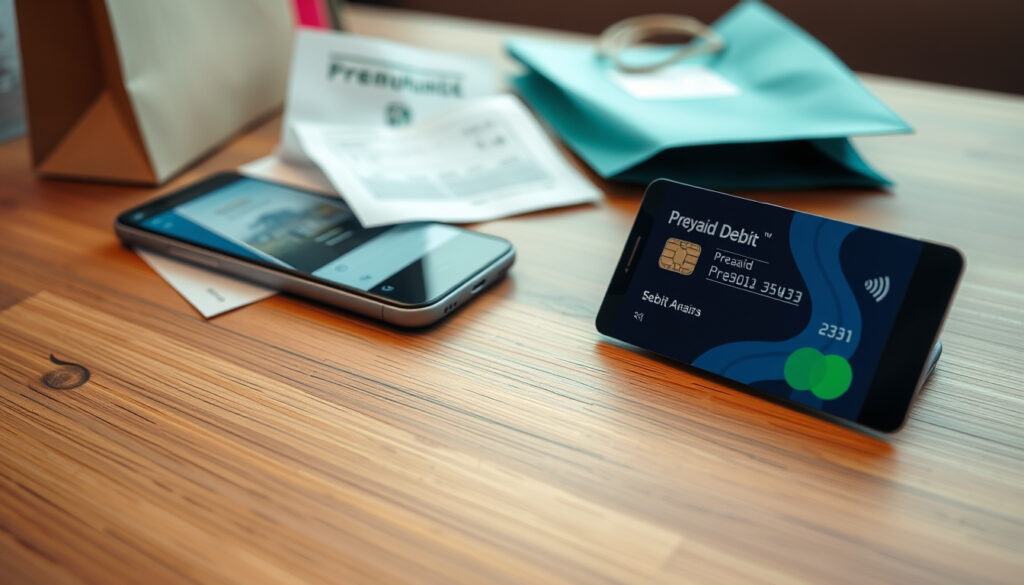
How to Use a Prezzy Card: Activation & Checkout Guide
Got a Prezzy Card tucked in your wallet? It’s a prepaid Visa gift card that works at millions of merchants worldwide, but unlike a standard gift card, it needs a quick unlock and activation before you can spend a cent.
Card network: Visa ·
Acceptance locations: Millions of merchants worldwide ·
Registration benefit: Lost/stolen card protection ·
Typical card value range: $25 – $500 NZD
Quick snapshot
- Prezzy Card is a prepaid Visa gift card not linked to a bank account (Prezzy Card FAQs).
- Activation is mandatory before first use (Prezzy Card activation page).
- Registration provides lost/stolen card protection (Prezzy Card registration page).
- Whether a PIN can be set for all Prezzy cards (Prezzy Card FAQs).
- The exact maximum load value for all card types. (Prezzy Card FAQs)
- Whether international transaction fees apply. (Prezzy Card FAQs)
- Whether the card can be used for split payments on a single transaction. (Prezzy Card FAQs)
- Whether international online stores can process the card without a billing address. (Prezzy Card FAQs)
- At purchase: Card is loaded with funds and must be activated (Prezzy Card FAQs).
- Before first use: Activate online or by phone (Prezzy Card activation page).
- Optional step: Register online for security and balance tracking (Prezzy Card registration page).
- During checkout: Use as credit card (select ‘credit’ in-store; enter details online). (Prezzy Card FAQs)
- Activate and register your card for full protection (Register your card).
- Add the virtual card to Apple Pay or Google Pay for tap-and-pay convenience (Prezzy Card blog).
- Use at millions of Visa merchants worldwide, both online and in-store. (Register your card)
The table below captures the core specifications of a Prezzy Card in a single glance — useful when deciding whether it fits your shopping habits.
| Attribute | Value |
|---|---|
| Card network | Visa |
| Card type | Prepaid gift card |
| Activation required | Yes |
| Registration available | Yes (recommended) |
| In-store payment method | Select ‘credit’ on terminal |
| Online payment fields | Card number, expiry, CVV2 |
What is a Prezzy card and how does it work?
A Prezzy Card is a prepaid Visa gift card issued in New Zealand by Prezzy Card (a Blackhawk Network product). It’s loaded with a fixed value — typically between $25 and $500 NZD — and can be used anywhere Visa is accepted electronically.
How a Prezzy card works like a Visa debit card
- The card works like a debit card but is not linked to a bank account (Prezzy Card FAQs).
- Funds are deducted from the prepaid balance, not from a chequing or savings account.
- For in-store purchases, you select ‘credit’ on the terminal and sign the receipt — no PIN required.
Where you can use your Prezzy card
- At millions of merchants worldwide that accept Visa (Prezzy Card FAQs).
- Online, in-store, over the phone, and via mail order.
- Cannot be used at ATMs for cash withdrawal.
The trade-off: convenience of bank-free spending versus a fixed balance. Once the funds are gone, the card is empty — no overdraft, no top-ups.
Do I need to activate my Prezzy card before using it?
Yes, activation is required before any purchase. A physical Prezzy Card that arrives by mail or courier is usually locked and must be unlocked using a 4-digit lock code (Prezzy Card activation page).
Steps to activate your Prezzy card online
- Visit the official activation page.
- Enter the 4-digit lock code provided when you received the card.
- If you don’t have the code, contact the person who gifted or purchased the card (Prezzy Card FAQs).
- Once the balance appears on the card account page, the card is ready to use.
How to activate your Prezzy card by phone
- Call the customer service number listed on the Prezzy Card FAQ page.
- Have your card number and the 4-digit lock code ready.
- If you received the card in-store without a code, allow up to 24 hours for funds to reflect (Prezzy Card FAQs).
What this means: if you can’t locate the unlock code, you’ll need to track down the purchaser. The activation process is deliberately locked to prevent unauthorised use.
Do I need to register my Prezzy card to use it?
Registration is optional but strongly recommended. According to Prezzy Card’s registration page, registering a card helps the company assist you if the card is lost, stolen, or if you want to dispute a transaction.
Benefits of registering your Prezzy card
- Lost/stolen card protection: registered cards can be replaced with the remaining balance (Prezzy Card FAQs).
- Access to transaction history and balance tracking.
- Required if you later wish to add the card to a digital wallet (Prezzy Card blog).
How to register your Prezzy card online
- Go to the registration page.
- Provide your card number, expiry date, and personal details.
- Create an account with an email and password.
The catch: registration adds a layer of safety, but it’s optional. If you don’t register and lose the card, the balance is gone for good.
Can I use a Prezzy card as a debit card?
No, a Prezzy Card is not a debit card. It is a prepaid Visa gift card that runs on the Visa network but is not linked to a bank account or chequing account.
Differences between Prezzy card and a bank debit card
- A debit card draws directly from a bank account; a Prezzy Card draws from a fixed prepaid balance.
- Debit cards often require a PIN; Prezzy Cards require selecting ‘credit’ and signing the receipt.
- Prezzy Cards cannot be used at ATMs for cash withdrawal, unlike standard debit cards.
How to choose the correct payment option at checkout
- In-store: always select ‘credit’ on the payment terminal. Do not select ‘debit’ or ‘savings’.
- Online: select ‘credit card’ as the payment method and enter the card details.
- Selecting the wrong option will cause the transaction to fail.
The pattern: treating the card as a credit card at the terminal ensures it works, even though it has no credit line. This is the single most common point of confusion for new users.
How do I use my Prezzy card in checkout?
Using your Prezzy card online
- At checkout, select ‘credit card’ as payment method.
- Enter the card number, expiry date, and CVV2 code (Prezzy Card FAQs).
- Complete the transaction. No PIN is required.
Using your Prezzy card in a physical store
- Swipe or insert the card into the payment terminal.
- Select ‘credit’ on the screen — do not select ‘debit’ or ‘savings’ (Prezzy Card FAQs).
- Sign the receipt to complete the purchase. There is no PIN for physical cards.
Selecting ‘debit’ will cause the transaction to fail because Prezzy Cards are not linked to a bank account. Always pick ‘credit’ for a smooth checkout.
Why this matters: the card behaves exactly like a credit card at the terminal, but without a credit line. If you treat it as debit, the system rejects it.
How do I check my Prezzy card balance?
Check balance online
- Visit the card account page and log in with your registered account.
- If you haven’t registered, you can still check the balance by entering the card number and security code on the FAQ page (look for the balance-check link).
- The remaining balance decreases with each purchase.
Check balance by phone
- Call the customer service number on the Prezzy Card FAQ page.
- Have your card number ready. The automated system will read your balance.
The pattern: checking your balance online is instant if you’re registered; by phone is a fallback for users without internet access.
What shops can you use a Prezzy card at?
Prezzy Cards are accepted at millions of merchants worldwide that display the Visa logo. This includes major retailers, online stores, and service providers.
Major retailers that accept Visa
- Any supermarket, department store, or fuel station that accepts Visa can process a Prezzy Card.
- The card works for in-store, online, over-the-phone, and mail-order purchases.
- It cannot be used at ATMs for cash withdrawal.
Online stores that accept Prezzy card
- Most international and New Zealand-based online stores that accept Visa will accept a Prezzy Card.
- Online checkout requires the card number, expiry date, and CVV2 code.
- Some merchants may require a billing address; use the address associated with the card or contact customer service for guidance.
The implication: the card offers broad utility for everyday spending, but users should confirm acceptance with specific merchants for large or international transactions.
How to Use Your Prezzy Card: A Step-by-Step Guide
Consolidating the full lifecycle into one flow:
- Unlock the card — Use the 4-digit lock code from the purchase to unlock the card on the activation page.
- Activate the card — Follow the online or phone activation steps. Wait up to 24 hours if you received the card in-store without a code.
- Register the card (recommended) — Create an account on the registration page for security and balance tracking.
- Add to digital wallet (optional) — If you have a virtual Prezzy Card, follow the instructions in the PDF to add it to Apple Pay or Google Pay (Prezzy Card blog).
- Make a purchase — Online: enter card details. In-store: swipe/insert, select ‘credit’, sign. Tap to pay if using a digital wallet.
- Check your balance — Use the website or call customer service before each purchase to avoid declines.
For New Zealanders receiving a Prezzy Card as a gift, the biggest risk is skipping registration — losing an unregistered card means losing the entire balance. Register first, then spend.
Confirmed facts
- Prezzy Card is a prepaid Visa gift card (Prezzy Card FAQs).
- Activation is mandatory before first use (Activation page).
- Registration provides lost/stolen card protection (Registration page).
- Online checkout requires card number, expiry, and CVV2 (FAQs).
- In-store checkout requires selecting ‘credit’ on the terminal (FAQs).
What’s unclear
- Whether a PIN can be set for all Prezzy cards.
- The exact maximum load value for all card types.
- Whether international transaction fees apply.
- Whether the card can be used for split payments on a single transaction.
- Whether international online stores can process the card without a billing address.
Shopping with Prezzy card is much the same as shopping with a credit card.
Prezzy Card official website (How It Works page)
You can use your card at selected merchants for in-store purchases, online, over the phone and via mail order.
Prezzy Card official website (FAQ page)
The Prezzy Card sits in a sweet spot for one-time gifts or controlled spending — but only if the recipient completes the activation and registration steps. For the person who gave the card, the locked activation system protects the giver’s value; for the recipient, it’s an extra hurdle that many don’t expect.
Related reading: Unlock your card to activate · Prezzy Card FAQs
For step-by-step guidance on activating and checking out with your card, how to use a Prezzy Card walks through the entire process.
Frequently asked questions
How do I activate my Prezzy card online?
Visit the activation page, enter the 4-digit unlock code provided with the card, and follow the prompts. If the balance appears, the card is ready.
How long does it take for a Prezzy card to activate?
If you have the unlock code, activation is instantaneous. If you received the card in-store without a code, allow up to 24 hours for the funds to load (Prezzy Card FAQs).
Can I use my Prezzy card to buy fuel?
Yes, any merchant that accepts Visa can accept your Prezzy Card, including fuel stations. The transaction must be processed as ‘credit’.
What happens if my Prezzy card is lost or stolen?
If the card is registered, you can contact customer service to have the remaining balance transferred to a replacement card (Prezzy Card FAQs). Unregistered cards cannot be replaced.
Can I reload my Prezzy card with more money?
No, Prezzy Cards are non-reloadable. Once the balance is spent, the card is exhausted.
Does my Prezzy card expire?
Yes, Prezzy Cards have an expiry date printed on the card. The funds must be used before that date. Check the FAQ page for specific validity details.
Can I use my Prezzy card overseas?
Yes, it works at any Visa-compatible merchant internationally, but foreign transaction fees may apply. Check the FAQ page for the latest fee information.
More related posts
 Ferry to South Island: Prices, Times, Car Costs & Booking
 Chiefs vs Blues 2025: Match Details, History & Key Players
 Best Mattress in a Box NZ 2025: Ecosa vs Flatpack vs NZ Beds
 Patagonia Black Hole Duffel 40L Review: Carry-On Tested
 New Zealand Dollar Rate in India: Live NZD to INR
 What Does PS Stand For? Meanings in Text, Slang & Cars
 Hole in One Taupo: Lake Taupō Challenge Guide & $10k Wins
 He’s Just Not That Into You: Streaming, Meaning & Review