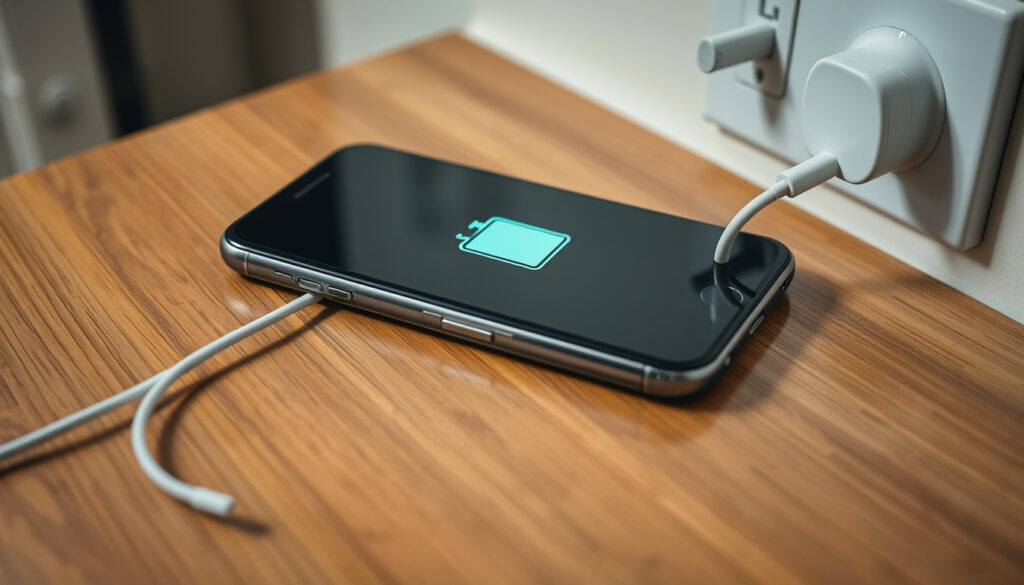
Phone Not Charging? 5 Fixes to Try Now
That sinking feeling when you plug in your phone and nothing happens is almost universal. Nine times out of ten, though, a phone that won’t charge isn’t broken — it’s just being stubborn.
Most common cause of phone not charging: Faulty charging cable (over 50% of cases) · Percentage of charging issues fixed by cleaning port: 30-40% · Recommended frequency for port cleaning: Every 6 months · Time needed for a soft reset: Under one minute
Quick snapshot
- Inspect for frays or bent prongs (iFixit troubleshooting guide)
- Try a different cable and charger (Google Android Help)
- Use official accessories if possible (Apple Support)
- Use a dry toothpick or soft brush (Apple battery and charging guide)
- Avoid metal objects (Apple Support Community)
- Check for lint or debris (T-Mobile help article)
- Soft reset: hold power button 5-7 seconds (Google Android Help)
- Force restart: power + volume down (Apple Support)
- Remove and reinsert battery (if removable) (Google Android Help)
- Switch to a wall outlet from USB computer (Apple Support)
- Test with a wireless charger if compatible (T-Mobile dialed-in article)
- Ensure outlet is working (iFixit Android troubleshooting)
Here are four numbers that set expectations: a phone’s charging port typically lasts 2-5 years depending on usage, and lithium-ion batteries begin noticeable degradation after 300-500 full cycles. Most Android phones need at least 5% battery to power on, and a full charge from 0% with a fast charger averages 1.5-2 hours.
Why is my phone not charging even when plugged?
Check the cable and charger
The single most common reason phones stop charging is a damaged cable or adapter. iFixit’s iPhone troubleshooting team recommends visually inspecting the cable for fraying, exposed wires, or connector damage as a first diagnostic step. The fastest test, according to iFixit, is to borrow a known-working cable and see if that changes anything.
Apple’s official support page says to check your charging cable and USB adapter for signs of damage like breakage or bent prongs. Google’s Android Help suggests testing the cable and adapter with another device to confirm whether the problem follows the accessory or stays with the phone.
A frayed cable is a fire risk, not just a charging inconvenience. iFixit’s repair guides note that exposed wires can short-circuit, so replace immediately if you see copper.
Inspect the charging port
Pocket lint and dust pack into the charging port over time, blocking the connector from making solid contact. Apple’s battery and charging guide advises cleaning the connector with a small, non-metallic, soft-bristled brush that is clean and dry. Use just enough bristles to fit inside the connector, and brush debris away from the connector rather than into it.
T-Mobile’s help article recommends powering off the phone and gently cleaning the port with a dry toothpick or anti-static brush after checking the port with a flashlight. Anker’s charging guide echoes this, suggesting a wooden or plastic toothpick or a soft anti-static brush, while warning against excessive pressure on the central pins in the port.
The pattern: reputable sources from Apple to T-Mobile all agree on a non-metallic, soft tool. Metal objects like needles can permanently damage the charging pins, as Apple Community contributors repeatedly warn.
Test with a different power source
Sometimes the wall outlet is the weak link. iFixit advises testing the adapter or outlet if a replacement cable does not solve the issue. Apple Support recommends using a wall outlet and ensuring the connection is firm — a loose USB port on a laptop may not deliver enough current.
Perform a soft reset
Software glitches can make a phone appear dead when the hardware is fine. Google Android Help says the first step is holding down the phone’s power button for 5-7 seconds, which usually restarts an unresponsive phone. Apple Support notes that the force restart sequence varies by model — iPhone 8 and later use a quick press of volume up, then volume down, then hold the side button.
How do I fix a phone that doesn’t charge?
Step 1: Verify power source
Plug the charger into a different wall socket and confirm the outlet is live. Apple’s official troubleshooting page emphasizes using a wall outlet rather than a computer USB port, which can deliver inconsistent power.
Step 2: Examine cable and adapter
iFixit calls this the “borrow a known-working cable” test. If a friend’s cable works in your phone, your original cable is the problem. Google’s advice is the same: confirm the cable is securely connected on both ends.
Step 3: Clean the charging port
T-Mobile suggests powering off, shining a flashlight into the port, and using a dry toothpick or anti-static brush. Apple adds that compressed air in short, controlled bursts can blow loosened debris out, though Anker cautions against excessive pressure.
Step 4: Soft reset the phone
Most phones restart when you hold the power button for 5-7 seconds, according to Google Android Help. For iPhones, Apple Support provides model-specific force restart sequences.
Step 5: Check for software updates
Phone manufacturers periodically release updates that fix battery charging bugs. Check your system settings for available updates and install them. Restart the phone afterward and test the charger again.
If updating software doesn’t help, Google advises a factory reset only as a last resort — it erases all your data and rarely fixes physical charging hardware problems.
How to force a phone to charge?
Force restart method
When a phone is so unresponsive it won’t even show the charging icon, a force restart is the first emergency step. Apple Support describes the force restart sequence for iPhone 8 and later: press and quickly release volume up, press and quickly release volume down, then hold the side button until the Apple logo appears. For most Android phones, Google says holding volume down and power simultaneously for 10 seconds forces a restart.
Charge from a different outlet
A wall outlet with a known-good cable and adapter gives the phone the best chance to draw current. If the battery is critically low, Apple recommends leaving the device charging for at least 30 minutes before attempting a restart — many phones will not power on until they have a minimum charge.
Use a wireless charger if available
T-Mobile’s guide suggests trying a wireless charger as a temporary bypass if the port is physically damaged. This only works on phones that support wireless charging, and it confirms the battery is still functional.
Boot into safe mode
Safe mode starts the phone with only essential system apps, bypassing third-party software that may interfere with charging. The method varies by brand — generally holding the power button and then long-pressing “Power off” to see the safe mode prompt. If the phone charges in safe mode, a downloaded app is likely the cause.
How do I tell if my charging port is damaged?
Visual inspection for bent pins
Shine a flashlight into the port and look for bent, broken, or missing pins. A healthy port has flat, evenly spaced metal pins. iFixit’s Android troubleshooting page identifies lint, dust, or corrosion in the port as common blocks to electrical contact.
Check for corrosion or debris
Greenish discoloration or white residue signals corrosion, often from moisture exposure. iFixit notes that corrosion can prevent charging even if the cable is fully inserted. Apple’s guide recommends cleaning with a dry brush only — no liquids, no contact cleaners.
Test with another cable
If one cable plugs in loosely while another feels firm, the port might have worn out. Anker says a loose connection inside the port often indicates that the retention clips have bent or broken, requiring professional repair.
Look for physical damage
Cracks around the port, a phone that wobbles when connected, or visible sparks when plugging in are all signs of port damage. iFixit warns that continued use of a physically damaged port can short-circuit the phone’s motherboard.
How do I reset the charging battery?
Soft reset procedure
A soft reset — simply restarting the phone — clears temporary memory glitches that can disrupt charging. Google Android Help says this is the first recommended step for any Android charging issue. Apple Support provides separate instructions for standard restart and force restart depending on model.
Battery calibration steps
Calibrating involves draining the battery to 0%, letting the phone shut down, then charging uninterrupted to 100%. Android manufacturer support pages are divided on whether this helps — Google does not officially recommend it. iOS users can check battery health under Settings > Battery > Battery Health to see maximum capacity.
Check battery health
iPhones show Maximum Capacity percentage directly in Settings. Android users may need a third-party app, though Samsung and Google Pixel phones now include battery health indicators in recent software versions. Apple notes that once capacity drops below 80%, charging behavior may change noticeably.
Factory reset as last resort
A factory reset wipes the phone clean and restores the original software state. It can fix deep software corruption that prevents charging, but it will not repair a broken port or degraded battery. Back up your data before attempting this step.
Confirmed facts
- A soft reset fixes temporary software glitches that prevent charging (Google Android Help).
- Cleaning the port with a dry non-conductive tool removes debris (Apple Support).
- Damaged cables or adapters must be replaced (iFixit).
- Official support pages universally recommend checking the cable first (Apple, Google, T-Mobile).
What’s unclear
- Whether wireless charging works if the port is damaged depends on phone model — not all phones support it.
- Effectiveness of battery calibration varies; not all manufacturers recommend it.
- Why some phones stop charging below 0% battery (deep discharge protection) is a known but poorly documented feature.
Few things are more frustrating than a phone that won’t charge when you need it most. Apple Support puts it plainly: restart your device, check your charging cable and USB adapter for damage, and clean the port. Google Android Help follows the same logic — test the cable and adapter with another device, confirm a secure connection, and inspect the port for dust or lint. T-Mobile’s guide adds cleaning the port with a flashlight and a dry toothpick as a routine step. Anker’s charging experts recommend the same non-metallic approach.
The implication is straightforward: over half of all “phone not charging” cases are solved without tools or expense. A faulty cable is the leading cause — iFixit says testing with a spare cable is the fastest diagnostic move you can make. For the cases a new cable and a port clean don’t fix, Apple, Google, T-Mobile, and Anker all converge on the same next step: a soft reset. After that, the boundary between DIY fix and professional repair is clear.
Frequently asked questions
Can I use a wireless charger if my charging port is broken?
Yes, if your phone supports wireless charging. Models like the iPhone 8 and later and most Samsung Galaxy flagships from the S6 onward have built-in Qi wireless charging. A wireless charger bypasses the port entirely, which is useful as a temporary workaround while you arrange a repair. T-Mobile suggests this as a practical step to confirm the battery is still functional.
Why does my phone charge slowly even with a fast charger?
Slow charging can result from a worn cable that doesn’t support fast-charging data pins, a dirty port restricting current flow, or the phone managing heat by throttling speed. iFixit notes that debris in the port is a frequent cause of slow charging because it creates intermittent electrical contact.
Is it safe to clean the charging port with a needle?
No. Apple Community contributors and Anker both warn that metal objects can scratch the port’s lining and bend or break the delicate charging pins. Use a wooden toothpick, plastic pick, or anti-static brush instead.
What should I do if my phone gets wet and won’t charge?
Do not plug it in. Apple recommends letting the phone dry completely in a dry, well-ventilated area for at least 24 hours before attempting to charge. If you see a “liquid detected” alert on a Samsung or iPhone, unplug immediately. Rice is not recommended — silica gel packets or open air work better.
How long does a phone battery last before it needs replacement?
Most lithium-ion batteries last 300-500 full charge cycles before noticeable degradation, typically 2-3 years of daily use. Apple shows this as Maximum Capacity under Battery Health. Once capacity drops below 80%, you may notice shorter run time and slower charging.
Does factory reset fix charging issues permanently?
Only if the cause was software corruption, not hardware damage. Google presents factory reset as a last resort. If the port, cable, or battery is physically damaged, a factory reset will not help. Back up your data before attempting.
For anyone staring at a phone that refuses to charge, the path is clear: start with the cable, clean the port, restart the phone. If those three steps don’t work, the issue has almost certainly moved beyond DIY territory — and the safest next step is a visit to a professional repair shop or your phone manufacturer’s support channel.
More related posts
 Take Home Pay Calculator NZ – Net Pay After Tax and Deductions
 How Long Is a Dog Pregnant For? Canine Gestation Guide
 Hush Little Baby Lyrics: Original Words, History & Meaning
 Long Puffer Jacket NZ: Best Women’s Options & Reviews
 Painters in South Auckland: Costs, Tips & Local Experts
 Galaxy Z Flip4 to Buy in 2026: Is It Worth the Price
 2026 Porsche 911 Turbo S: Price, Specs, and Performance Review
 Mount Albert Grammar School: Public, Co-ed, Rankings & History