What Is an Email Alias – Definition, Setup and Privacy Benefits
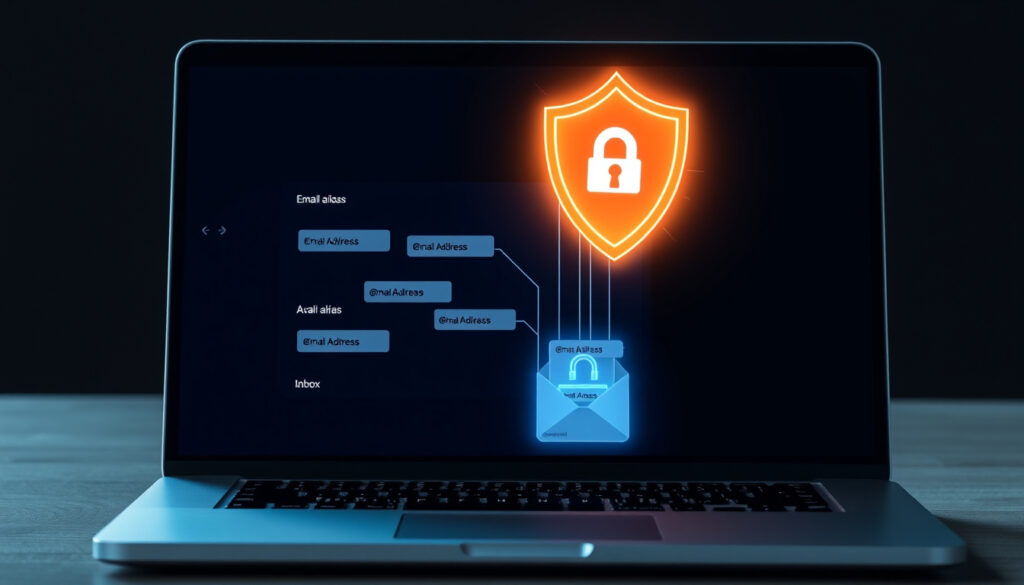
An email alias serves as a secondary address that directs messages to your primary inbox without requiring a separate account. This feature has become a fundamental tool for managing digital communication, offering users a way to organize incoming mail, protect personal information, and maintain cleaner inboxes across popular email services.
Understanding how email aliases work can significantly improve your online privacy and email management strategy. Rather than creating multiple full email accounts, users can generate alternative addresses that route all correspondence to one central location, simplifying the process of filtering, organizing, and controlling digital interactions.
What Is an Email Alias?
An email alias functions as an alternative address linked to your primary email account, where incoming messages are delivered directly to the main inbox without establishing a separate mailbox or account structure. According to Business Insider, this mechanism operates like a redirect or forwarding system, enabling you to receive mail at multiple addresses within a single account.
Email aliases provide a practical solution for managing multiple communication channels without the overhead of maintaining separate accounts.
Secondary address forwarding to primary inbox
Receives mail, automatically forwards to main account
Gmail, Outlook, ProtonMail
Privacy without creating new accounts
- Enhances privacy by masking your primary email address from recipients
- Ideal for online sign-ups, newsletters, and promotional communications
- Available free of charge on major email providers
- Does not create a separate inbox—all messages arrive in one location
- Allows sending emails from the alias address through your primary account
- Can be disabled or deleted instantly without affecting the main account
- Enables easy organization of incoming correspondence by source or purpose
| Feature | Email Alias |
|---|---|
| Separate Inbox | No |
| Sending Capability | Yes (via primary account) |
| Requires Login | No |
| Primary Use | Privacy, organization |
| Free Availability | Yes (provider limits apply) |
| Independent Storage | No |
Email Alias vs Email Forwarding: Key Differences
While the terms “alias” and “forwarding” frequently appear together in discussions about email management, they represent distinct functionalities that serve different purposes. According to Intergen, understanding these differences helps users select the right approach for their communication needs.
Email Alias and Forwarding Compared
Email aliases and forwarders both redirect messages from one address to another without creating a separate inbox, making them often interchangeable in casual usage. However, forwarding typically emphasizes automatic redirection similar to telephone call forwarding, while aliases function more like nicknames for the same account. According to Carolyne Cooper’s guide, the critical distinction lies in sending capabilities—aliases usually permit sending from the alternative address, whereas pure forwarders may not support outbound messaging.
When you send from an alias, recipients see the alias address as the sender. With standard forwarding, the original sender’s address typically remains visible in the reply chain.
Email Alias vs Email Account
An email account constitutes a full inbox requiring login credentials and dedicated mail server resources for sending and receiving messages, complete with independent storage allocation. In contrast, as explained by Cloud PPI’s knowledge base, aliases lack independent storage or separate login requirements—they simply route all correspondence to an existing account.
This distinction carries significant practical implications. Managing multiple email accounts means memorizing various passwords, monitoring separate interfaces, and potentially paying for additional storage. Email aliases eliminate these complications by consolidating communication within a single, manageable inbox while presenting multiple public-facing addresses.
Email Alias vs Nickname
Nicknames represent informal aliases used for personal or functional purposes, such as creating a shortened address like “bob@domain.com” for “robert@domain.com.” According to Christian Web Host’s support documentation, nicknames serve primarily as personal shorthand rather than functional routing mechanisms. Email aliases, by contrast, function as operational addresses that handle real correspondence and can be shared publicly without revealing your primary account.
How to Create an Email Alias
Setting up an email alias varies slightly between providers, but the core process remains straightforward across major platforms. Understanding the specific steps for your email service enables you to establish aliases quickly and begin managing your correspondence more effectively.
Creating an Email Alias in Gmail
Gmail users can configure aliases through the settings interface. According to Google’s official support documentation, the process involves navigating to Settings, selecting “Accounts and Import,” and choosing “Add another email address” under the “Send mail as” section. After entering your alias details, Gmail sends a verification code to the new address, which must be confirmed before the alias becomes active.
Once configured, incoming messages to your alias appear in your primary Gmail inbox, while outgoing messages can be sent directly from the alias address. This functionality remains free for personal accounts, though Google Workspace users may encounter different limitations depending on their subscription tier.
Creating an Email Alias in Outlook
Microsoft’s Outlook platform offers alias management through the account settings area. Users access the aliases section to add secondary addresses tied to their primary account, as outlined in Microsoft’s support resources. The platform limits free accounts to approximately 10 aliases per account, though this varies based on subscription level.
Outlook distinguishes between aliases and “Identities,” which represent separate accounts rather than forwarding addresses. Understanding this distinction prevents confusion during setup and ensures users configure the correct feature for their needs.
Creating an Email Alias in ProtonMail
ProtonMail provides robust alias functionality with a strong privacy focus. Users access alias creation through Settings, navigating to “All settings,” then “Proton Mail,” and finally “Addresses” to add new aliases. The platform also offers a “Hide-my-email” feature that generates random aliases forwarding to your primary account, which can be disabled at any time.
The service provides generous alias allocation, with free accounts receiving 10-20 aliases and paid Plus+ plans offering unlimited aliases. This structure makes ProtonMail particularly attractive for users prioritizing privacy and requiring multiple forwarding addresses.
2024 Alias Limits Across Providers
- Gmail: 30 aliases per account for personal accounts; higher limits available in Google Workspace
- Outlook: 10-20 aliases per account depending on subscription tier
- ProtonMail: Unlimited aliases on Plus+ plans; 10-20 on free accounts
Benefits of Using Email Aliases
Email aliases provide substantial advantages for users seeking to optimize their digital communication. The primary benefit involves enhanced privacy—generating alternative addresses for online sign-ups, newsletters, and promotional emails allows you to mask your primary address from potential spammers and data collectors.
When a masked or forwarding alias receives unwanted messages, you can simply disable it without affecting your primary email address or any other aliases you maintain.
Beyond privacy protection, aliases support organizational efficiency by enabling functional email addresses for specific purposes. Business users commonly establish addresses like “sales@domain.com” or “support@domain.com” that route to designated team members, while individuals might create aliases for shopping sites, social media, or professional correspondence.
Additional Practical Benefits
- Cost-effectiveness: Aliases eliminate the expense of maintaining multiple email accounts
- Streamlined role transitions: When employees change positions, aliases can be reassigned without creating new addresses
- Email duplication and archiving: Important correspondence can be routed to multiple destinations simultaneously
- Public-facing protection: Personal email addresses remain hidden when communicating through business or functional aliases
- Spam management: Identifying which alias received spam helps pinpoint compromised or sold data sources
As noted in Business Insider’s technology guide, masked and forwarding aliases offer the strongest privacy protection by completely concealing your primary email address from recipients.
Managing Email Aliases: Multiple, Free, and Deletion
Effective alias management ensures you maximize the benefits of this feature while maintaining a clean, organized email environment. Whether you need to add addresses for new purposes, remove outdated aliases, or understand the cost implications, proper management practices keep your communication channels running smoothly.
Creating and Using Multiple Email Aliases
Most email providers support multiple aliases per account, though specific limits vary by service and subscription level. Users can create distinct aliases for different purposes—shopping, social media, professional contacts, newsletters—enabling easier filtering and identification of incoming correspondence. Services like SimpleLogin and Addy.io integrate with major providers to offer additional alias management features for users requiring extended functionality.
Consider creating a naming convention for your aliases, such as “shopping@sitename.com” or “social@platform.com,” to quickly identify message sources and manage subscriptions effectively.
Are Email Aliases Free?
All major email providers offer alias functionality at no additional cost. Gmail and Outlook include alias support with their free accounts, though with defined per-account limits. ProtonMail extends this generosity further, providing substantial alias allocation even on complimentary plans. The lack of monetary barriers makes aliases an accessible privacy tool for users across all budget levels.
The Evolution of Email Aliases
- 1990s: Early email services introduce forwarding functionality as the foundational concept behind modern aliases
- 2004: Gmail launches with built-in alias support, popularizing the feature among consumer users
- 2010s: Outlook and Hotmail implement widespread alias adoption across Microsoft’s email platforms
- 2024: Privacy-focused email services like ProtonMail enhance alias functionality with masked addresses and unlimited generation on premium plans
Understanding Alias Limitations
While aliases offer numerous advantages, certain limitations deserve acknowledgment. Alias limits vary between providers and account types, meaning users requiring hundreds of distinct addresses may need to explore custom domain solutions or third-party services. Additionally, some websites and services recognize and block known alias patterns, potentially limiting effectiveness for certain sign-up scenarios.
| Aspect | Established Information | Uncertain Areas |
|---|---|---|
| Functionality | Aliases are standard features across major email providers | Specific implementation details may vary between updates |
| Limits | Provider-specific limits exist (e.g., 30 for Gmail personal) | Custom domain limits may differ from standard provider limits |
| Privacy Protection | Aliases effectively mask primary addresses from recipients | Effectiveness against sophisticated tracking methods varies |
Deleting Email Aliases
Removing an alias proves straightforward across all major platforms. Gmail users navigate to Settings, then Accounts, where they can delete aliases with routing stopping immediately. Outlook administrators access the admin center to remove aliases from user accounts. ProtonMail users delete aliases through Settings, navigating to Addresses, where removal causes subsequent emails to bounce back to senders.
Deletion remains free and instantaneous, with no impact on your primary account or other active aliases. This flexibility enables privacy rotation—users can create aliases for specific purposes, monitor for abuse, and delete compromised addresses while maintaining clean communication channels.
Sources and Expert Perspectives
“An email alias is an additional email address that forwards messages to your primary inbox.”
— Google Help Documentation
Official provider documentation from Google and Microsoft confirms the fundamental nature of alias functionality. Technology publications including Business Insider and Zapier provide practical guidance on implementation and best practices.
Privacy-focused resources such as ProtonMail’s support documentation offer insights into advanced alias features designed for users prioritizing confidentiality in their digital communications.
Summary
Email aliases represent a powerful, accessible feature enabling users to manage multiple addresses through a single inbox. By understanding the distinction between aliases and full accounts, implementing proper setup procedures across your chosen provider, and utilizing deletion capabilities when needed, you can significantly enhance both your privacy and organizational efficiency. Whether protecting your primary address from spam, creating functional business addresses, or simply maintaining cleaner correspondence, email aliases provide a cost-effective solution requiring no additional accounts or complex management. Explore resources like our comprehensive guides to maximize your email management capabilities.
Frequently Asked Questions
Is an email alias the same as a catch-all address?
No. A catch-all address captures all emails sent to non-existent addresses within a domain, while an alias is a specific alternative address you intentionally create and manage.
Do email aliases affect sender reputation?
Email aliases typically do not have independent sender reputations since they route through your primary account. Your main address’s reputation determines deliverability for messages sent from aliases.
Can I reply from an email alias?
Yes. Most providers allow you to send messages from your alias address while replies appear to come from the alias, not your primary email.
What happens if I delete my primary email account?
Deleting your primary account typically deactivates all associated aliases. Emails sent to alias addresses will bounce or fail to deliver after primary account removal.
Can businesses use email aliases?
Absolutely. Businesses commonly use functional aliases like sales@, support@, and info@ that route to appropriate team members or departments.
Are there third-party alias services?
Services like SimpleLogin and Addy.io specialize in alias management, offering features such as unlimited aliases, masked addresses, and advanced filtering capabilities that integrate with major email providers.
More related posts
 Jackpot City Casino Login NZ: Step-by-Step Guide 2025
 Interior House Painters Auckland: Complete Cost & Decision Guide
 Queen Size Mattress NZ: Dimensions and Buying Guide
 Night at the Museum: Kids Guide, Sequels & Legacy
 Trade Me Property for Sale Christchurch: 2025 Guide
 Hamilton to Auckland Bus: Timetables, Fares & Travel Options
 How to Find the Circumference of a Circle – Formulas and Examples